7 Things Developers Should Consider When Building Salesforce Document Automation

Salesforce is often used as the central system for customer, account, opportunity, and product information. But storing information in Salesforce is only one part of many business workflows.
That information often needs to become proposals, quotes, contracts, invoices, reports, or customer summaries.
At first, document generation can look like a straightforward task. A developer retrieves Salesforce fields, places them into a template, and generates a file. As requirements become more complex, however, additional considerations appear.
Related records, conditional sections, workflow automation, file storage, and large document volumes can all affect the implementation.
Here are seven areas developers and Salesforce teams should consider when working on document automation.
Start With the Salesforce Data Model
A document rarely depends on a single Salesforce field.
For example, a sales proposal might require:
Account information Contact details Opportunity information Product records Pricing Sales representative details
Before building the document workflow, developers should identify where each piece of information comes from.
This becomes particularly important when data is spread across several related Salesforce objects.
A clear data map can help prevent situations where a template expects information that is unavailable or stored somewhere different from what the workflow expects.
Separate Document Layout From Business Data
A document usually contains two different elements:
The structure and formatting of the document The information that changes for each Salesforce record
Keeping these elements separate can make the workflow easier to maintain.
For example, a proposal template can define where the company logo, customer information, pricing table, and terms should appear. Salesforce then provides the values that populate those areas.
This approach also allows document formatting to change without requiring the underlying Salesforce data model to be redesigned.
For teams using business-managed templates, this separation can reduce the amount of development needed for routine formatting changes.
Plan for Related Records
Related Salesforce records can make document generation considerably more complicated.
Consider an opportunity containing several products. A proposal may need to display each product along with its quantity, price, discount, and subtotal.
A simple field merge is not enough for this type of document.
Developers need to consider how collections of related records will be retrieved and represented in the final document.
The same challenge can occur with:
Opportunity products Contacts Assets Cases Orders Custom objects
The document structure should therefore reflect the actual Salesforce relationships rather than assuming that every document is based on one record.
Account for Conditional Content
Different Salesforce records may require different sections in the final document.
For example, a proposal may need an additional section when a particular product is selected. A contract may require different terms depending on the customer's region or type.
Conditional content can help handle these situations.
Instead of creating separate templates for every possible scenario, a template can contain rules that determine which sections should appear based on Salesforce data.
This can reduce template duplication, although the conditions themselves need to be clearly defined and tested.
Connect Generation to Salesforce Automation
Document generation does not always need to be initiated manually.
Salesforce Flow can connect document generation with existing business processes.
For example, a document could be generated when:
An opportunity reaches a particular stage A record receives approval A contract is created A renewal date approaches A customer completes a process
This turns document generation into one step within a larger Salesforce workflow.
Developers should also consider what happens when generation fails. Error handling becomes particularly important when document creation happens automatically without a user monitoring the process.
Consider Bulk Processing
A workflow that works well for one record may not work in the same way for hundreds or thousands of records.
Consider a business that needs to generate renewal documents for several hundred customers.
Running the same process individually could create unnecessary processing overhead.
Bulk document generation requires developers to consider:
Salesforce governor limits Query efficiency Processing time File creation Error handling Retry logic Storage requirements
The appropriate architecture will depend on the document volume and the way the Salesforce environment is configured.
Compare Available Document Generation Tools
Not every organization needs to build its entire document-generation system from scratch.
A custom approach can provide greater control, but it can also require ongoing development and maintenance. Managed solutions provide another option for teams that need reusable templates, Salesforce data mapping, workflow automation, or bulk generation.
Several tools are available in the Salesforce document-generation space, and they take different approaches to templates, automation, output formats, and Salesforce integration.
Conga Composer
Focus: Salesforce document generation and template-based workflows
Conga Composer is an established option for creating business documents from Salesforce data. It is commonly associated with proposals, contracts, quotes, reports, and other structured documents.
360 InstantDocs
Focus: Word-based document generation within Salesforce
360 InstantDocs uses Microsoft Word templates with Salesforce data. Its approach includes individual and bulk document generation, along with workflows involving Salesforce data and templates.
S-Docs
Focus: Salesforce-based document generation
S-Docs provides document-generation functionality within the Salesforce ecosystem and supports formats such as PDF, Word, and Excel.
DocuSign Gen
Focus: Document generation and electronic-signature workflows
DocuSign Gen connects Salesforce data with document generation and the broader DocuSign signing workflow. It can be relevant for organizations where contracts or agreements need to move from generation to signature.
Docomotion
Focus: Template-based document automation
Docomotion provides document-generation capabilities for Salesforce and can be used for documents such as proposals, quotes, invoices, and contracts.
Titan
Focus: No-code document and workflow automation
Titan includes document-generation functionality alongside broader Salesforce forms and workflow capabilities. It supports dynamic content and different document-generation scenarios.
These tools should not necessarily be treated as interchangeable. Their suitability depends on factors such as template requirements, Salesforce architecture, document volume, automation needs, output formats, and development resources.
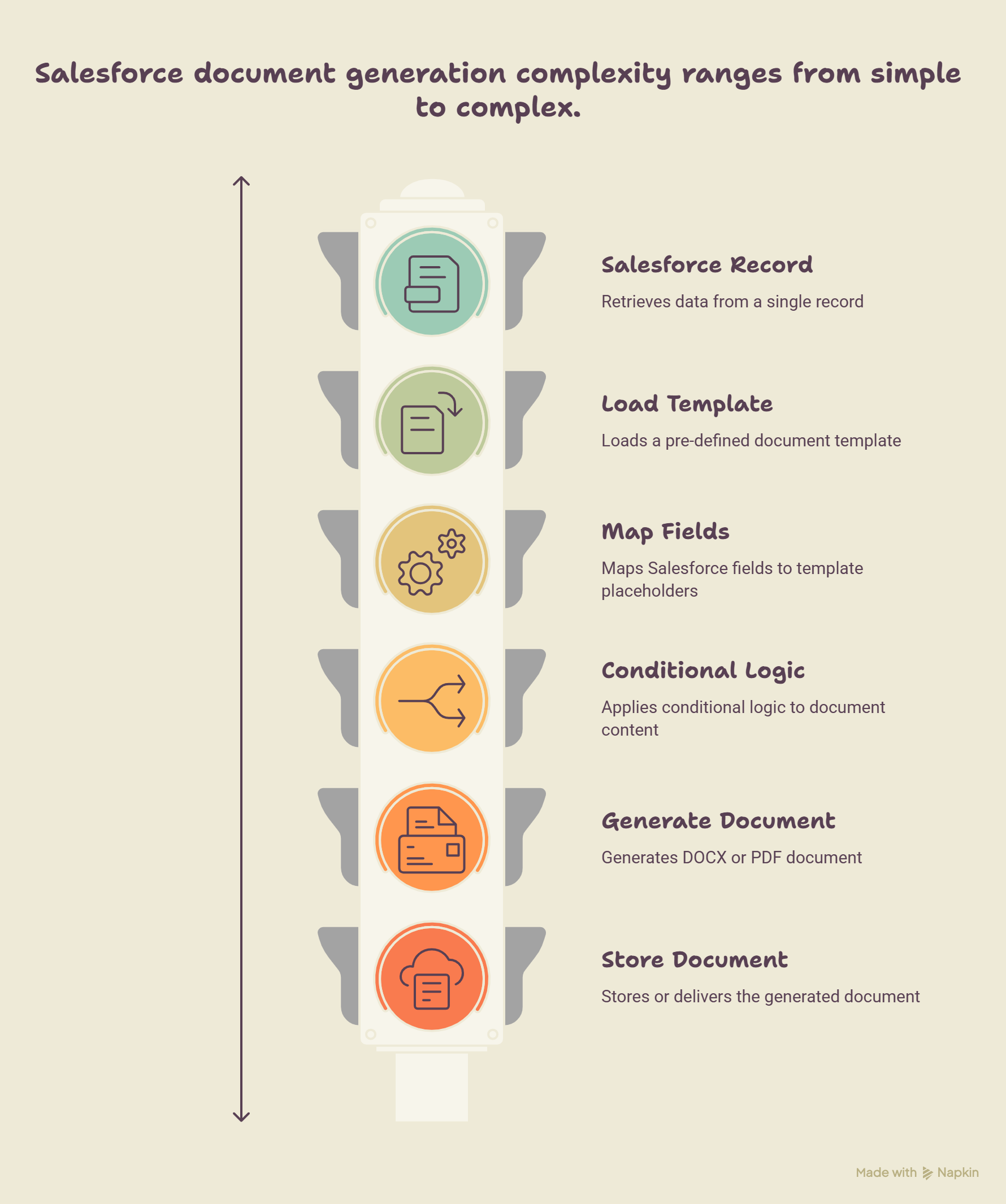
A Simple Salesforce Document Generation Flow
A basic document workflow might look like this:
Salesforce Record
↓
Retrieve Required Data
↓
Load Document Template
↓
Map Salesforce Fields
↓
Apply Conditional Logic
↓
Generate DOCX or PDF
↓
Store or Deliver Document
Each stage can introduce its own technical requirements.
For a simple proposal, the process may be relatively straightforward. A complex contract containing information from several objects and conditional sections can require considerably more planning.
Common Problems to Watch For
Several issues can appear as document workflows become more complex.
Missing Data
If a required Salesforce field is empty, the generated document may contain incomplete sections.
Incorrect Field Mapping
A field mapped to the wrong location can produce a document that appears correctly formatted but contains incorrect information.
Template Changes
A business user may change a template without realizing that the change affects the underlying generation process.
Large Record Volumes
A workflow designed around a single record may encounter processing or performance limitations when applied to large datasets.
File Management
Generated documents need appropriate storage, permissions, naming conventions, and retention policies.
These issues are easier to manage when they are considered during the design stage rather than after deployment.
A Simple Example
Consider a sales team that creates proposals when opportunities reach a particular stage.
A manual process might look like this:
Open the opportunity in Salesforce. Collect customer information. Copy product and pricing details. Open a document template. Enter the information. Review the document. Convert it to PDF. Save or upload the file. Send it to the customer.
An automated workflow could instead use the opportunity as the starting point, retrieve the required Salesforce information, populate a template, generate the document, and continue with the next step.
The final proposal may look almost identical in both cases. The main difference is the amount of manual work required to produce it.
When Is Document Automation Worth Considering?
Document automation is not necessarily useful for every document.
A workflow may be a good candidate when:
The document is created frequently. Most of the information already exists in Salesforce. The document follows a repeatable structure. Employees spend significant time entering information manually. The same document is created for many records. Errors frequently occur during document preparation. The process is connected to a predictable Salesforce event.
A document created once or twice a year may not justify automation. A document generated hundreds of times each month presents a much stronger case.
Final Thoughts
Salesforce document generation is more than inserting CRM fields into a document.
A reliable implementation needs to account for the Salesforce data model, related records, template structure, conditional content, automation, bulk processing, file management, and long-term maintenance.
Some organizations may have requirements that are best handled through custom development. Others may find that a managed document-generation solution better fits their workflows.
The most practical starting point is usually one repetitive document process with a clear business requirement. Once the data, template, automation, and processing requirements are understood, the appropriate implementation approach becomes easier to determine.
The goal is not necessarily to automate every document. It is to identify the workflows where automation can reduce repetitive work while keeping the resulting documents accurate and consistent.

